The Modelflare Media Skill: image and video generation from coding agents
The Media Skill is an installable SKILL.md package. With it, Claude Code, Codex, and other skill-aware agents can choose a Modelflare image or video model, quote its price, send the request, and save the result.
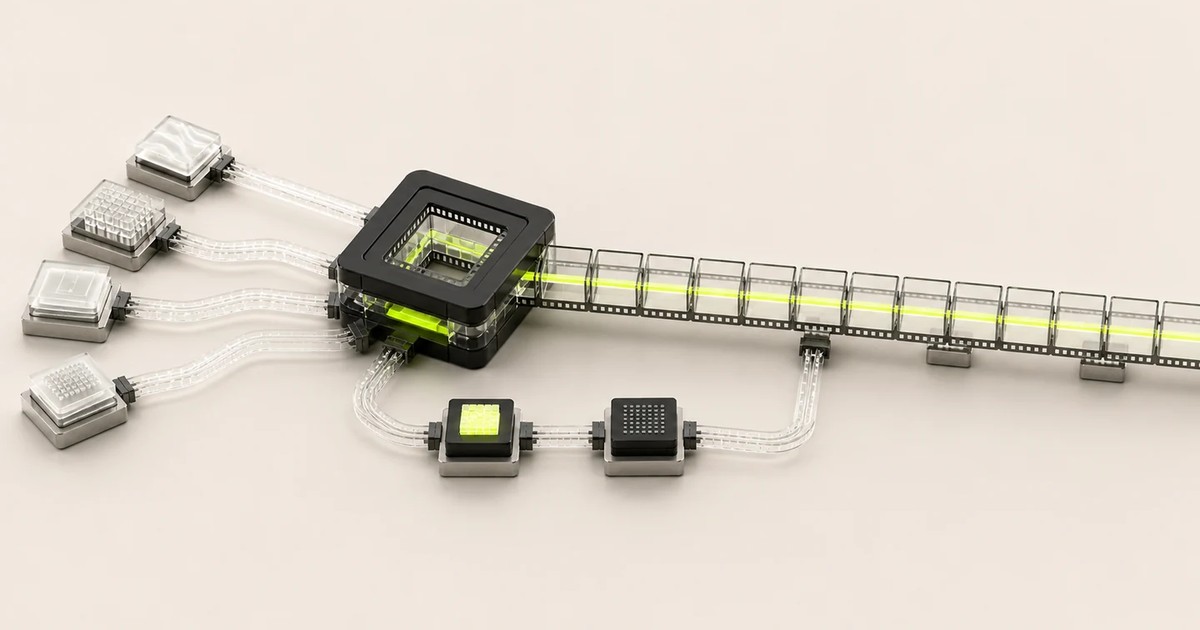
Coding agents already have a text model. What they lack is a reliable way to call image and video models, whose request formats differ by family. The Modelflare Media Skill addresses this. It is a folder containing a SKILL.md, a generated model reference, and one helper script. Once it is in an agent's skills directory, the agent knows how to choose a Modelflare image or video model, quote its price, send the correct request, wait for videos, and save the result.
The helper script requires only Node.js 18 or newer, which Claude Code and Codex already require, and behaves the same on macOS, Windows, and Linux. Text models are intentionally out of scope.
Installing
The agent decides where its skills live. Send it this message, which is the same for every agent:
Install this skill: https://modelflare.dev/skills/modelflare-media/modelflare-media.zip (or use the attached zip), then read its SKILL.md. If you do not support skills, extract it anywhere and follow SKILL.md. My key is in the environment variable MODELFLARE_API_KEY.
If the agent cannot download files, download the zip yourself and attach it to the message. Agents with a skills mechanism install it in their own location; an agent without one can still read SKILL.md from wherever it extracted the package.
For a manual install, for example on a shared machine or in CI:
curl -fsSL https://modelflare.dev/skills/modelflare-media/install.sh | sh
This installs into ~/.claude/skills/modelflare-media, which Claude Code reads as a user-level skill; a project-level copy goes into .claude/skills/ inside the repository. On Windows, the PowerShell installer is irm https://modelflare.dev/skills/modelflare-media/install.ps1 | iex. For another agent, set SKILL_DIR to its skills folder first:
SKILL_DIR=~/.codex/skills curl -fsSL https://modelflare.dev/skills/modelflare-media/install.sh | sh
Providing a key
Create an API key in the console and set it in the environment the agent runs in:
export MODELFLARE_API_KEY="sk-..."
On macOS and Linux, add the export to your shell profile to keep it. Treat the key like a password: do not send it to an untrusted service or a public chat, issue, repository, or ticket, and revoke it immediately if it may have been exposed. The skill never writes the key into files or prompts and never prints it.
Any key with image or video groups works. Accounts created through Castaly already have a key named Castaly that routes across every group enabled for the account.
How the agent uses it
Requests are written in plain language, for example "Generate a 16:9 poster of a coastal observatory at dusk with gpt-image-2" or "Turn this start frame into a 5 second 1080p video with Seedance."
The agent reads SKILL.md, then fetches the live catalog from https://modelflare.dev/api/pricing to see which models the key can use and what they cost. Next it opens that model's page on the documentation site for the exact request body, parameter table, and limits, and calls the API with its own HTTP client. Every call carries the header X-Modelflare-Skill: modelflare-media/1.0, so the usage logs show which requests came from the skill.
Because the catalog and every request contract are read live, a model published today can be used today. The package carries no model data of its own, so it does not go stale; reinstall only to pick up a new skill version.
From the Castaly workbench
Every generation in the Castaly workbench has a "Reproduce this in your own agent" panel with the install message, the zip, and a task brief. Send the install message once, then paste the brief, and the agent reproduces the same model and parameters against your own key.
What the skill does not do
- It does not direct how the agent works. Retries, batching, and reporting are between you and the agent; the skill only documents the API.
- It carries no model list of its own.
- It does not upload files to any storage. Local reference images are embedded in the request as data URLs, so keep them to a few MB.
- It cannot unlock model groups. If the API returns
model_unavailable, that model is not available to the account.
The full guide is at Media Skill. For team or enterprise use, contact business@modelflare.dev.